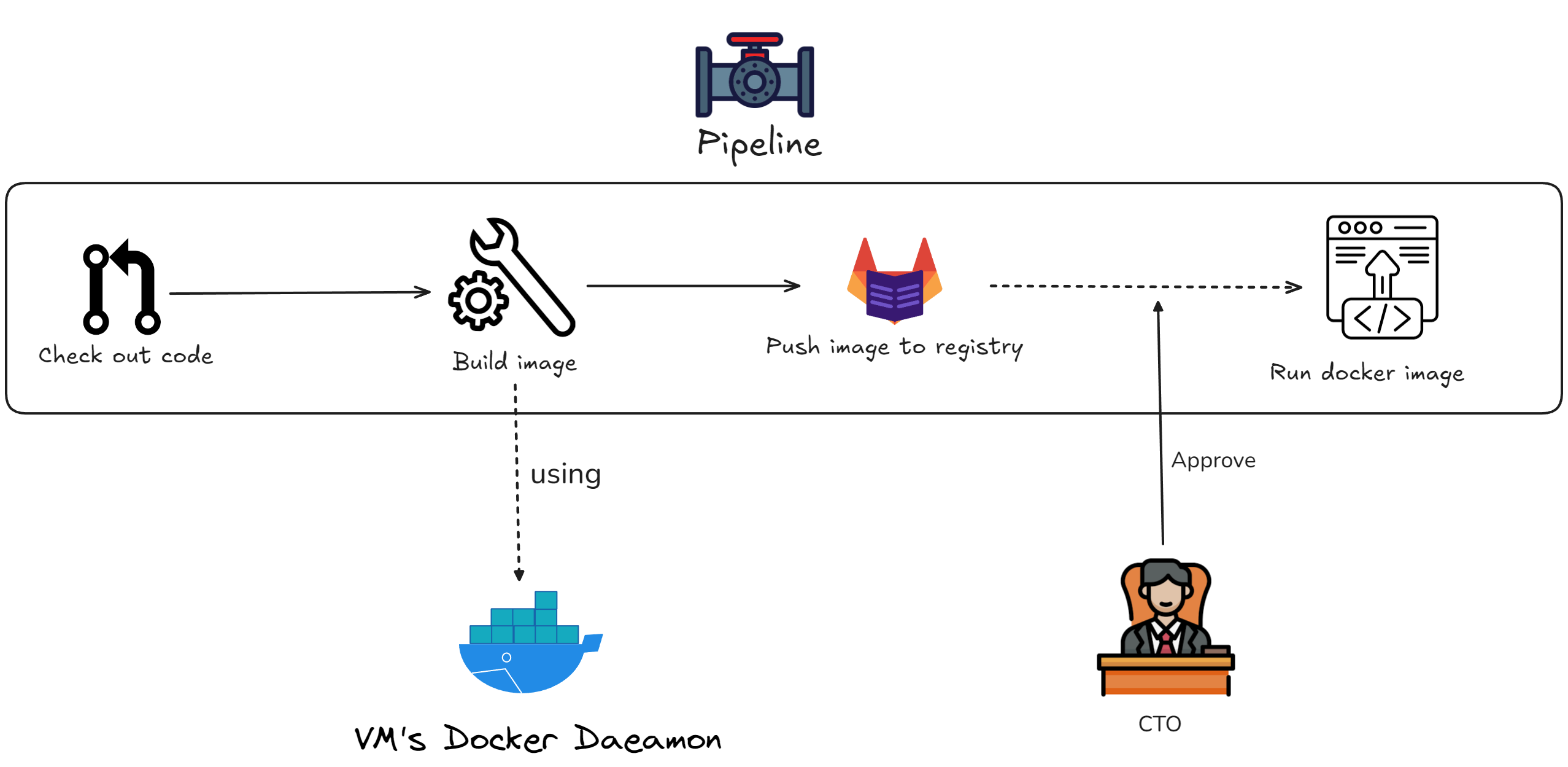
Overview
warning
This content only apply for lab purpose. If you want apply it into production, you need more things to do (ArgoCD, Gitlab CI/CD, etc.)
Target: This guideline take you from zero to build a complete DevOps system on Google Cloud Platform (GCP), including Technitium - DNS server, NPM - Reverse Proxy, Gitlab, Jenkins, Docker, and finally, an pipeline deploy to Docker automatically.
Final Result: You will have the system which just git push and everything relate (build, check, approval, deploy) will run automatically
Virtual Machine's architecture
Let's take a look into VM's architecture first
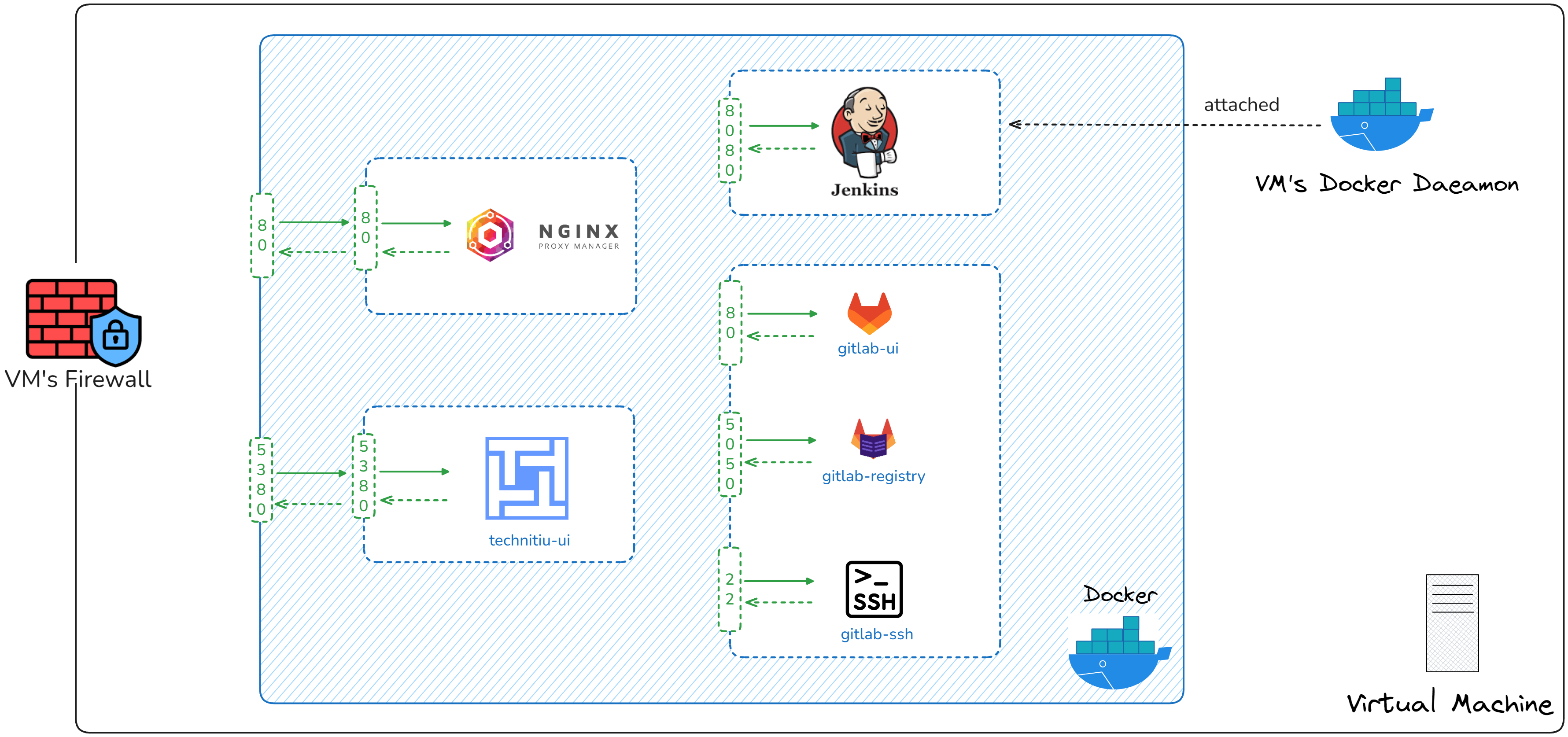 The containers are organized into:
-
NGINX container (NPM):
- Port expose: 80 (HTTP)
- Acts as a reverse proxy, forwarding traffic to:
- Jenkins on port 8080,443
- Gitlab on port 80,443
-
Technitium container (DNS):
- Port expose: 5380
- Acts as a local DNS
-
Jenkins container:
- Port expose: 8080
- Connected directly to the VM's Docker daemon
-
Gitlab container:
- Port expose: 80 (UI), 22 (ssh), 5050 (container registry)
Public Workflow

Pipeline